Weddings
Collect RSVPs, guest photos, videos, and messages from everyone celebrating your big day.
Create a beautiful event page, collect RSVPs, receive guest messages, photos and videos, and run a live photo slideshow during the celebration.
Your event remains active for 3 months after the event date.
From the host dashboard to the guest experience, Event Memories Pro keeps RSVPs, messages, photos, QR codes, sharing, and your live slideshow together in one simple place.
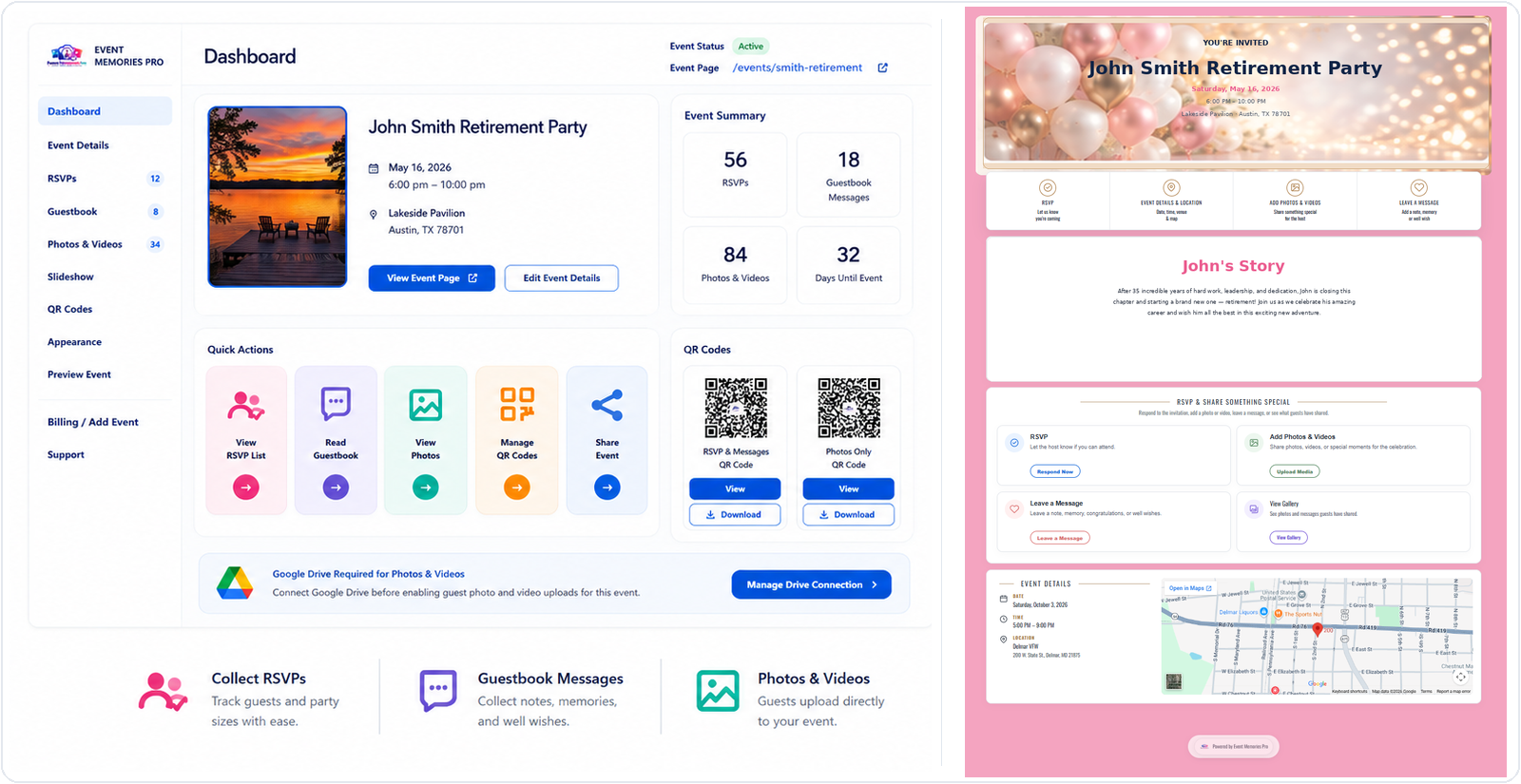
One easy place for RSVPs, guest messages, photos, videos, QR codes, and the memories everyone helps create.
Collect RSVPs, guest photos, videos, and messages from everyone celebrating your big day.
Bring party photos, videos, guest messages, and favorite moments together in one shared place.
Celebrate the milestone with RSVPs, congratulations, photos, videos, and memories from friends and family.
Collect RSVPs, photos, videos, and special messages to save for the parents-to-be.
Give the whole family one easy place to share photos, videos, stories, messages, and memories.
Collect registrations, event photos, messages, and highlights without asking guests to download an app.
$100.00$50.00 Launch Price
Set up your event, complete secure checkout, and get instant access to your Event Memories Pro dashboard.
Event Memories Pro is an online event-sharing and RSVP platform that gives each event its own personalized page. Hosts can collect RSVPs, receive guestbook messages, collect photos and videos from guests, display galleries and slideshows, create QR codes, and keep event information in one place.
Event Memories Pro uses the event host’s Google Drive to store photos and videos contributed to an event. Google Drive is required when the Photos & Videos feature is enabled. The host connects their own Google account and selects or creates a folder for that event, so event media is stored directly in the host’s Drive rather than in Event Memories Pro website storage.